How to Host a Dota 2 Game Night for 10 Friends Online
Updated 2026-07-14
How do you plan a Dota 2 game night for exactly 10 friends?
Ten friends is the perfect number for a Dota 2 game night because it's exactly one full 5v5 lobby with nobody sitting out — the only planning that matters is picking a night everyone can make and confirming the headcount stays at ten, not nine or eleven. Unlike a tournament, there's no bracket to build and no rules document to write; the whole job is logistics and team-making.
Nail down three things before you post anything to the group chat: which night, a start time with a little buffer built in, and who's confirming attendance. Send a single reminder the morning of game night rather than trusting a message from three days ago — plans made on a Tuesday for a Friday night have a way of quietly falling apart without a nudge.
How do you invite and schedule 10 people without it falling apart?
The easiest way to keep a 10-person invite list intact is to lock the roster 24 hours ahead and treat any drop after that as the host's problem to solve, not the whole group's. Picking a recurring night — the same weekday every week or every other week — cuts down on scheduling friction over time, since people start blocking the slot automatically instead of needing a fresh round of "can everyone make it" every single week.
Keep the coordination in one thread, not scattered DMs to the host. A single pinned message with the night, the time, and a running headcount is easier for ten people to check than ten separate side conversations, and it gives the host one place to look 30 minutes before start time to see who's actually confirmed.
What format works best for exactly 10 players?
For 10 friends, a single custom lobby with two balanced 5-player teams and All Pick is the simplest format — anything more complicated is unnecessary overhead for a casual night. There's no bracket, no round robin, no need to track standings; the whole point is games where nobody's stuck watching from the bench.
If the group wants more than one game, the easiest way to keep it interesting is to reshuffle teams between games rather than replaying the exact same matchup twice. A different split each game also means nobody gets stuck on the losing side all night, and it keeps the group from settling into the same predictable 5-versus-5 rivalry every single week.
Which Dota 2 lobby settings keep a casual game night fun?
Keep the settings simple: All Pick as the default game mode, a lobby password so the game doesn't fill with strangers, cheats disabled, and the server region set to whatever gives the best average ping across the whole group rather than just the host. None of this needs to be complicated — a casual game night doesn't need the DotaTV delay or series-type settings a tournament lobby relies on.
Leave spectating on with the DotaTV delay at its shortest setting for a friend lobby; there's nothing competitive on the line, so there's no information to protect. And unless you're genuinely short a player, leave the option to fill empty slots with bots off — a friend showing up ten minutes late beats a bot filling their slot for the whole game.
How do you keep the game fun for the worst player in the lobby?
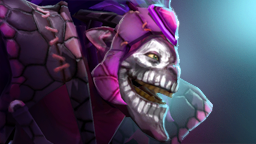
Keeping a casual lobby fun for its weakest player comes down to two things: balanced teams so they're not carrying or being carried every game, and a hero pool that doesn't punish mistakes as hard. A lopsided team split turns one player into the reason their side loses every game, and that's the fastest way to make someone quietly stop showing up to game night.
Point newer or weaker players toward forgiving heroes rather than letting them get talked into a high-mechanics pick they'll struggle with. Dazzle is a good example — its heals and Shallow Grave give a support real impact without demanding precise mechanics. Ogre Magi is another: tanky, simple to use, and hard to feel truly useless on even in a rough game.
For the team split itself, balance by real skill rather than by who's already friends — Dota 2 Lobby's Auto Balance mode pulls each player's rank tier, win rate, and role history and runs up to 1000 swap iterations to find a fair split, all while keeping premade duos together. An 85% or higher balance score means nobody's getting stomped by design, which is the difference between a fun Friday and a night where half the lobby logs off after one game.
Frequently asked questions
How many players do you need for a full Dota 2 lobby?
You need exactly 10 players for a full 5v5 Dota 2 game, split five and five between Radiant and Dire. If you're short a player or two, Dota 2 Lobby's Fill Missing mode can complete a partial stack from a pool of candidates, scored on role fit and skill match, so the night doesn't get cancelled over one missing friend.
What game mode should a casual friend lobby use?
All Pick is the best default for a casual 10-friend lobby since it's fast and lets everyone play the hero they want without a draft phase. Switch to Captains Mode occasionally for variety or if the group specifically wants bans and a structured pick — just expect the game to take longer once a draft phase is added.
How do you split 10 friends into fair teams?
The most reliable way is to balance by real skill data — rank tier, win rate, and role — rather than splitting by who's already friends in Discord. Dota 2 Lobby's Auto Balance mode does this automatically and keeps premade duos together while still optimizing for a fair overall split, so friend groups don't have to choose between staying together and playing a fair game.
Should you keep the same 10 players every week?
A consistent roster makes weekly game nights easier to schedule and lets you balance teams the same way each time, but it's not required — casual game nights work fine with a rotating pool as long as you confirm the headcount the day before. If your group grows past 10, consider fixed teams for the night instead of scrambling to fit everyone into one lobby.
More guides
- Dota 2 In-House Lobby Settings, Formats & Fair Teams
- How to Run a Dota 2 Tournament for Your Own Community
- Use ChatGPT to Write Dota 2 Tournament Rules and Format
- Single vs Double Elimination for Small Dota 2 Events
- Use ChatGPT to Generate a Round Robin Dota 2 Schedule
- How to Organize Dota 2 Scrims for Your Team or Stack
- In-House League Point Systems for Dota 2 Ladders and Cups
- Prize Structures for Small Dota 2 Tournaments and Cups
- How to Set Up a Dota 2 Tournament Bracket Step by Step
- Use ChatGPT to Draft Your Dota 2 League Announcement
- Use ChatGPT to Schedule a Dota 2 Scrim Block Session
- Dota 2 Lobby Host Etiquette and Admin Ground Rules
- Casting and Spectating Basics for Dota 2 Community Games
- How to Schedule a Dota 2 League Season Around Real Life
- Best Discord Setup for Running Dota 2 In-House Lobbies
- Round Robin vs Swiss Format for Small Dota 2 Leagues
- How to Keep a Dota 2 In-House League Alive Long Term
- Use ChatGPT to Write a Weekly Dota 2 League Recap Post
- How to Handle No-Shows and Subs in Dota 2 In-Houses