Casting and Spectating Basics for Dota 2 Community Games
Updated 2026-07-14
What do you need to cast or spectate a Dota 2 community game?
Casting or spectating a Dota 2 community game needs three things set up before the match starts: spectating enabled in the lobby settings, a DotaTV delay chosen to match the stakes, and — if you're actually broadcasting — a basic streaming setup like OBS. None of this requires special software the players don't already have; the client handles spectating, broadcaster slots, and coach slots natively.
Decide the setup before the lobby fills, not after — a caster scrambling to claim a broadcaster slot while ten players wait to start is the kind of avoidable friction that makes admins skip casting a community game the next time. That's the short version of casting Dota 2 community games: enable spectating, choose a delay, and keep the streaming setup simple.
What DotaTV delay should you set for a community game?
Dota 2's DotaTV delay comes in four options — 10 seconds, 2 minutes, 5 minutes, and 15 minutes — and 2 minutes is the default setting most lobbies should use for anything with real stakes. The delay exists to stop a spectator from relaying live information to either team, so the higher the stakes, the more the delay matters.
For a pure friend night with nothing on the line, the 10-second option is fine since there's no information advantage worth protecting. For tournament finals or a prize game, consider the longer 5-minute or 15-minute options, which trade a caster's ability to talk about the live game for a stronger guarantee against ghosting. One wrinkle worth knowing: the delay applies to regular spectators, not to a broadcaster slot — a caster sitting in one sees the game live, so for high-stakes matches either spectate normally on the delay or add a matching stream delay in OBS. And set the delay before the lobby starts — changing it mid-game defeats the purpose.
What are coach slots for in a Dota 2 lobby?
A coach slot lets a non-playing team advisor watch the draft and the game from a team-aligned view without occupying one of the ten player slots. It's distinct from neutral spectating, since a coach is explicitly attached to one side and can see that team's perspective rather than a broadcast-style neutral view.
Coach slots are most useful for youth teams, structured community leagues, or any group where a mentor wants to observe and give feedback without playing. For a casual game night, they're rarely necessary — save them for matches where a coach's presence actually adds something.
How do you set up a simple OBS stream for a community cast?
A basic OBS setup for casting a community game needs three things: a Game Capture or Window Capture source pointed at the Dota 2 client, a webcam and microphone scene for the caster, and a simple overlay showing team names or the score. None of this needs to be elaborate — a clean, readable layout beats an overdesigned one for a community broadcast.
Test audio levels before going live, since a caster whose mic is too quiet or clipping is a bigger problem than any visual issue. Keep the scene list short — a game-only scene and a caster-cam scene cover almost every moment of a casual cast, and switching between more than two or three scenes mid-game usually causes more distraction than it's worth.
What makes a community cast easy to follow for viewers?
An easy-to-follow cast keeps viewers oriented on the basics — which side has the gold and experience lead, which objectives are up, and what just happened — rather than assuming the audience is already tracking every detail. Call the state of the game simply and often, especially for viewers who aren't following as closely as the caster is.
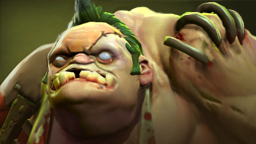
Hype the moments that deserve it. A long-range hook from Pudge landing across a chokepoint is exactly the kind of play a community cast should call loudly — it's visually clear, it swings a fight, and it's the moment casual viewers remember after the game ends. Avoid dead air between fights; a caster narrating a quiet farming phase in one or two sentences keeps the broadcast alive without forcing commentary where nothing's happening.
How do spectators and coach slots interact with the balancer and lobby setup?
Spectators, broadcaster slots, and coach slots all sit outside the ten player slots entirely, so adding casters, coaches, or standby players to a lobby never touches the balanced teams already assigned to Radiant and Dire. Set the player slots first using a balancer like Dota 2 Lobby's Auto Balance mode, then sort out spectators, broadcasters, and coaches afterward without needing to redo any of that work.
This ordering matters for larger community events especially — a caster or coach added at the last minute shouldn't be a reason to touch a bracket-seeded, already-balanced roster. Keep the two steps separate and neither one interferes with the other.
Frequently asked questions
What DotaTV delay should a community Dota 2 game use?
Two minutes is the standard default and a reasonable choice for anything with real stakes, since it blocks live information from reaching either team. A pure friend night with nothing on the line can use the 10-second option instead, and high-stakes finals sometimes push to 5 or 15 minutes for extra protection against ghosting.
Do spectators take up player slots in a Dota 2 lobby?
No — spectators, broadcaster slots, and coach slots all sit outside the ten player slots that make up the two teams, so adding casters or coaches never displaces a player. Set the balanced teams first, then sort out spectators, broadcasters, and coaches afterward.
What's the easiest way to start casting a community game?
Set up a simple OBS scene with a Game Capture source for the Dota 2 client and a webcam-and-mic scene for the caster, test audio levels before going live, and keep the DotaTV delay set to match the stakes of the match. Two or three scenes total is enough for most community casts — more than that tends to add distraction rather than polish.
What's a coach slot used for?
A coach slot lets a non-playing team advisor watch the draft and game from that team's own perspective, separate from a neutral spectator view, without taking up one of the ten player slots. It's most useful for structured teams or leagues with a mentor figure, and rarely necessary for a casual game night.
More guides
- Dota 2 In-House Lobby Settings, Formats & Fair Teams
- How to Run a Dota 2 Tournament for Your Own Community
- Use ChatGPT to Write Dota 2 Tournament Rules and Format
- Single vs Double Elimination for Small Dota 2 Events
- How to Host a Dota 2 Game Night for 10 Friends Online
- Use ChatGPT to Generate a Round Robin Dota 2 Schedule
- How to Organize Dota 2 Scrims for Your Team or Stack
- In-House League Point Systems for Dota 2 Ladders and Cups
- Prize Structures for Small Dota 2 Tournaments and Cups
- How to Set Up a Dota 2 Tournament Bracket Step by Step
- Use ChatGPT to Draft Your Dota 2 League Announcement
- Use ChatGPT to Schedule a Dota 2 Scrim Block Session
- Dota 2 Lobby Host Etiquette and Admin Ground Rules
- How to Schedule a Dota 2 League Season Around Real Life
- Best Discord Setup for Running Dota 2 In-House Lobbies
- Round Robin vs Swiss Format for Small Dota 2 Leagues
- How to Keep a Dota 2 In-House League Alive Long Term
- Use ChatGPT to Write a Weekly Dota 2 League Recap Post
- How to Handle No-Shows and Subs in Dota 2 In-Houses